
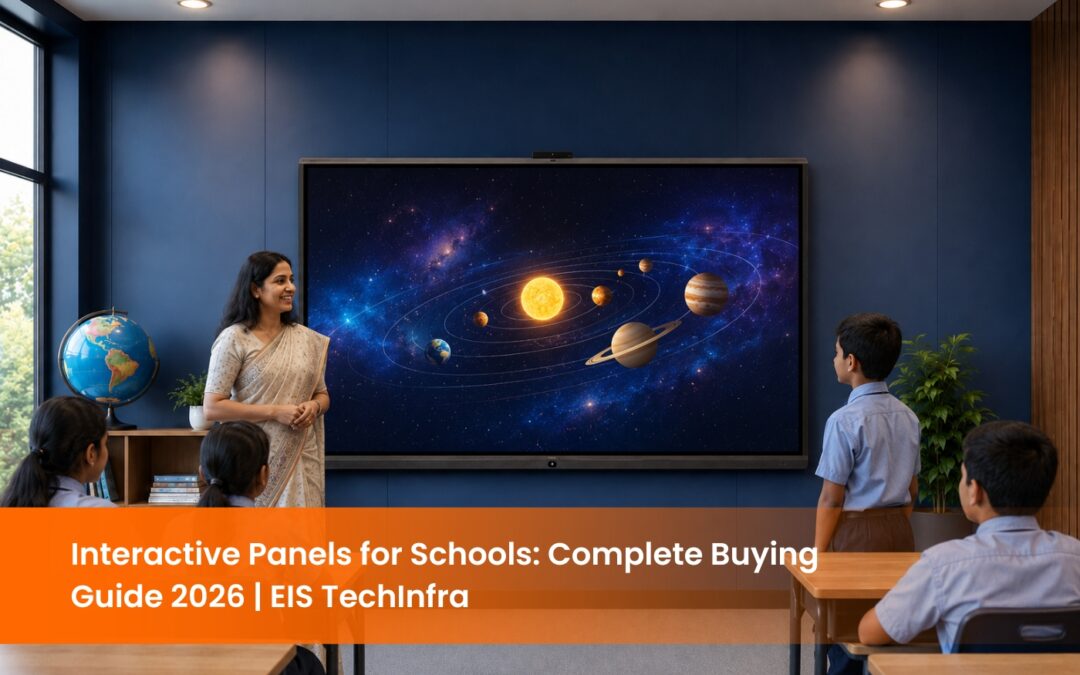
Interactive Panels for Schools: The Complete 2026 Guide for Indian Educators
Classrooms are vibrant spaces where students actively engage with their teachers and fellow students for learning. Interactive panels for schools are at the core, offering teachers innovative tools to create interactive, dynamic lessons.
These panels enable students to collaborate, interact with content, and immerse themselves in the learning process. Interactive panels make classrooms more interactive and versatile, enabling a dynamic and inclusive learning environment.
Let’s understand what interactive panels are and how it redefines student and teacher interactions in the classroom.
What are Interactive Panels?
Interactive panels are digital touchscreens that allow users to interact with content directly. These panels integrate touch-sensitive technology with high-resolution visuals, enabling real-time interaction such as drawing, writing, and navigating content. These interactive panels are commonly used in business, education, and at events. They provide multi-touch support, adjustable angles and seamless device connectivity. They offer an intuitive, user-friendly presentation platform for collaboration and information sharing.
What Makes Interactive Panels So Effective?
Interactive panels transform classrooms by turning regular teaching methods into more interesting, engaging, and collaborative experiences. With features like dual-touch technology, multi-touch functionality, and intuitive controls, these panels offer endless opportunities to enhance learning.
Teachers can interact with content in real-time by writing, drawing, or highlighting important points using their fingers or a precise, battery-free pen. This method is similar to traditional blackboard teaching but with far more flexibility and creative options.
Whether displaying student’s projects, playing videos, or presenting lessons, interactive panels adapt to the user’s needs, ensuring everyone is involved and making the learning experience dynamic and accessible.
Key Features of Interactive Panels for Schools:
Understanding the Interactive panel’s features and functionality will help to harness its potential in the classroom.
Learn more essentail elements that enhance the effectiveness of the panels.
- Dual Touch Technology: Interactive panels in schools allow Teachers and students to engage directly with the content.
- Pen-Based Interaction: The pen’s pressure-sensitive design replicates the normal drawing experience on paper. It is ideal for jobs that needs motor skills such as drawing, solving problems and taking notes.
- Finger-Based Interaction: The capacitive touch technology, similar to smartphones, makes operations straightforward. The panel’s multi-touch technology provides zoom in and out options making presentations easy.
Enhanced Collaboration Tools:
Interactive panels for schools are designed for proactive collaborations. Teachers can share their screens with students, annotate videos, and divide the screen if required to show multiple themes simultaneously. This draws the attention of the students and keep them engaged.
Adjustable Angles for Comfort and Flexibility
Another benefit of interactive panels for schools is the ability to adjust the angle of the display. The interactive panels can be adjusted according to the environment. They can be tilted and moved to a comfortable viewing angle where the teacher is comfortable. This flexibility promotes better posture and reduces eye strain.
This adjustability ensures that the interactive panel can be effectively used in various teaching situations, whether for individual or group activities or class-wide presentations.
More Connection Ports for Versatility
The interactive panels feature HDMI Outputs and USB Extenders. Teachers can connect their laptops, tablets or any media devices to the panel without any complications ensuring the leassons run smoothly without any hassle.
Integrating the interactive panels with other wireless devices, such as QOMO QShare, makes it easy for teachers to share their screens, allowing students to participate more actively.
How Interactive Panels Support NEP 2020 Goals
India’s National Education Policy 2020 calls for a fundamental shift away from rote learning toward experiential, inquiry-based, and multi-modal education. Interactive flat panels directly support these mandates in four specific ways.
Experiential and Multi-Modal Learning. NEP 2020 recognises that students learn through different modes: visual, auditory, and kinaesthetic. Interactive panels allow teachers to combine video, animation, audio, hands-on annotation, and live student participation in a single lesson, addressing all three learning modes simultaneously.
Continuous and Comprehensive Evaluation (CCE). The policy moves away from annual examinations toward ongoing assessment. Interactive panels support CCE by enabling in-class quizzes, digital assignments, and live polling, reducing dependence on paper-based testing.
Blended and Digital Learning. NEP 2020 mandates the integration of digital tools across all grade levels. The policy references the PM eVidya initiative and DIKSHA platform as primary digital content sources, both accessible directly through an interactive panel’s Android browser or apps. NCERT textbook QR codes can be scanned and displayed on the panel screen in real time.
Foundational Literacy and Numeracy (FLN). The NEP’s FLN mission for Grades 1–3 specifically benefits from tactile, touch-based learning tools. Finger-based interaction gives young learners a direct physical connection to literacy and numeracy content, replacing passive observation with active participation.
Schools applying for smart classroom infrastructure under Samagra Shiksha Abhiyan and PM eVidya are increasingly required to specify interactive panel-compatible classrooms. Procurement committees in several states now reference Android version and touch technology requirements in their tender documents.
How Interactive Panels Transform the Classroom Experience
Interactive panels are offering multiple benefits beyond traditional teaching tools. These cutting-edge screens sharpen the teaching methods and makes learning engaging. Teachers can create an engaging environment with these future-ready tools in the classrooms.
Here’s how
Engaging Students More Effectively
The interactive capabilities of these panels encourage students to become active participants in their learning. Whether it’s solving problems, answering questions, or interacting directly with content on the screen, students are more immersed in the lesson. This active engagement results in increased focus, better understanding, and improved retention of information.
Supporting Different Learning Styles
Every student has their way of learning, and interactive panels cater to various educational needs. Visual learners can connect with the material through vivid graphics and multimedia, while kinesthetic learners benefit from the ability to interact with the screen physically. The flexibility of these panels allows for a more personalized approach to education, ensuring that students can engage with lessons in a way that suits them best.
Preparing for Tomorrow’s Classroom
As digital technology evolves, classrooms become increasingly connected and tech-driven. Interactive panels help teachers and students stay ahead of the curve by providing tools compatible with multiple devices and platforms. It ensures that the classroom environment remains adaptable to future changes in educational technology, making it easier to integrate new tools and resources as they emerge.
Streamlining Classroom Management
Managing multiple devices and dealing with outdated equipment can disrupt the flow of a lesson. As schools adopt advanced and efficient classroom technologies, EIS Techinfra Solutions provides solutions that integrate Interactive panels for schools. These panels eliminate the need for several tools, centering everything into one easy-to-use device. This simplifies lesson delivery and reduces technical issues, allowing teachers to focus more on teaching and less on troubleshooting.
As schools move towards more streamlined, efficient classroom technology, EIS TechInfra AV Solutions offers a solution that consolidates multiple tools into a seamless device.
Interactive Panel vs Projector: Which Is Better for Schools?
Schools that stay with a projector-led setup should budget for a proper screen rather than projecting onto a painted wall. Our range of motorised and manual projector screens covers both fixed-install classrooms and multipurpose halls where the screen needs to retract.
Factor
Interactive Panel (IFPD)
Projector + Screen
Interactive Panel Buying Checklist for Schools
• Screen size appropriate for classroom dimensions? (75″ for standard classrooms; 86″+ for large halls)
• Android OS version 11 or above?
• 20-point multi-touch or higher?
• 4K UHD resolution confirmed?
• Local service centre and AMC coverage in your city?
• Warranty terms in writing: panel, touch layer, and backlight covered separately?
• NEP 2020 / DIKSHA compatibility confirmed?
• Wall mount and installation included in the quote?
Questions to Ask Any Interactive Panel Supplier
2. What is the touch response time (latency)? Under 8ms is the classroom-grade benchmark.
3. Do you have a service centre or authorised technician in our city?
4. What does the AMC cover: parts, labour, and on-site visits?
5. Can we run a trial in our school before committing to purchase?
6. What is the lead time for delivery and installation?
Conclusion
Incorporating interactive panels for schools enhances teaching and learning by providing tools for engaging lessons that boost student motivation. With features like dual-touch technology, adjustable angles, and seamless connectivity, these panels transform classrooms into dynamic, collaborative spaces. Whether enhancing engagement or streamlining lessons, interactive panels are vital to creating a more interactive and exciting learning experience. For reliable and expert AV solutions, contact us at https://einfratech.com/contact/.
Stay updated with the latest news, insights, and exclusive content by following us.
FAQ
What are interactive panels for schools?
Interactive panels for schools are advanced digital touchscreens that enable real-time interaction with content. They integrate touch-sensitive technology with high-resolution visuals, allowing teachers and students to write, draw, annotate, and navigate lessons intuitively.
How do interactive panels for schools benefit teachers and students?
Interactive panels for schools enhance teaching and learning by creating an engaging and collaborative environment. Teachers can present dynamic lessons, and students can actively participate by solving problems, drawing, or interacting with content directly on the screen.
Are interactive panels for schools suitable for all age groups?
Yes, interactive panels for schools are highly versatile and can be used for students of all age groups, from kindergarten to higher education. They adapt to various learning styles, making them effective for young learners and advanced students alike.
What are the key features of interactive panels for schools?
Some essential features include dual-touch and multi-touch technology, pen-based and finger-based interaction, adjustable display angles for comfort, and multiple connection ports like HDMI and USB extenders for seamless connectivity with other devices.
How do interactive panels for schools support different learning styles?
Interactive panels cater to various learning styles:
- Visual learners benefit from vibrant graphics and multimedia.
- Kinesthetic learners engage physically by interacting with the screen.
- Auditory learners can benefit from audio-visual materials incorporated into lessons.
How do classroom displays improve lesson management?
Can the angle of a classroom display be adjusted for comfort?
Can interactive panels for schools be used for collaborative activities?
Absolutely! Interactive panels for schools are designed to encourage collaboration. Teachers can divide screens, annotate videos, and allow multiple users to interact with the panel simultaneously, fostering teamwork and group learning.
How do interactive panels for schools improve classroom management?
Interactive panels consolidate multiple teaching tools into one device, simplifying lesson delivery and reducing the need for additional equipment. This streamlined approach helps teachers focus more on teaching and less on handling technical issues.
What connectivity options do interactive panels for schools offer?
Interactive panels for schools come with multiple connection ports like HDMI, USB, and wireless connectivity options. They allow teachers to easily connect laptops, tablets, or other devices for a seamless teaching experience.
Can interactive panels for schools be adjusted for comfort?
Yes, interactive panels offer adjustable angles, ensuring teachers and students can comfortably view and interact with the screen. This flexibility promotes better posture, reduces eye strain, and adapts to various teaching scenarios.
How do interactive panels prepare schools for future technology?
Interactive panels for schools are compatible with a wide range of devices and platforms, ensuring they stay relevant as technology evolves. Their adaptability allows schools to integrate future tools and resources seamlessly, keeping classrooms up to date with advancements in educational technology.