
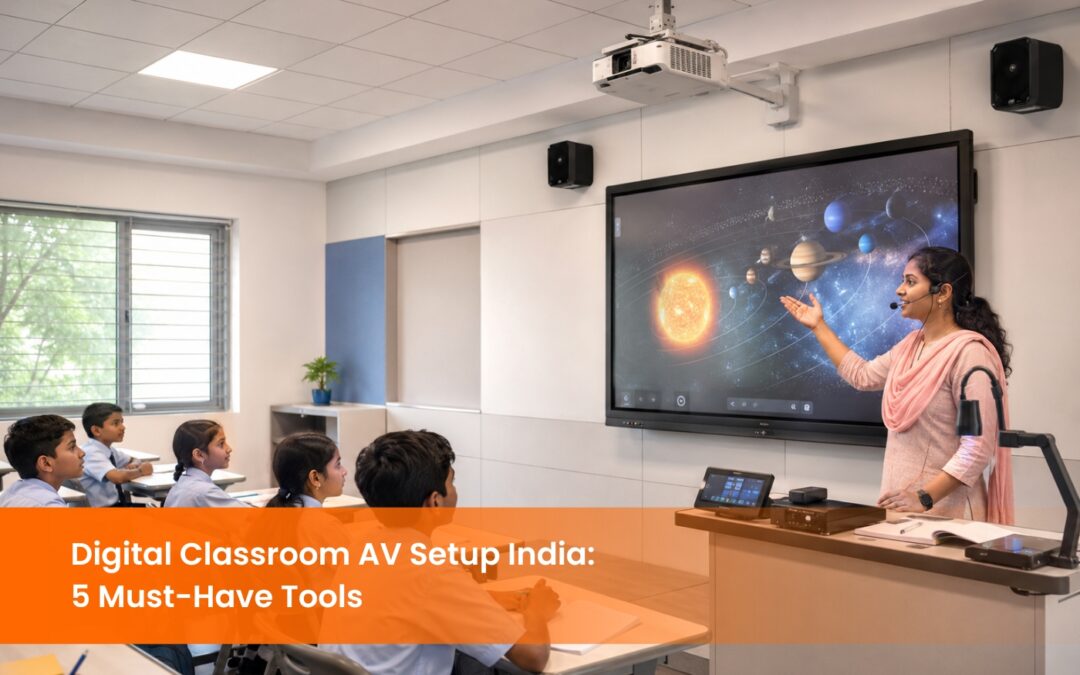
Digital Classroom AV Setup India: 5 Must-Have Tools for Schools and Colleges
Digital classroom AV setup in India has moved from a pilot project to a baseline institutional requirement. By 2023-24, 34.6% of private schools and 21.2% of government schools in India had functional smart classrooms, according to government smart classroom data, and that number is accelerating under NEP 2020’s mandate for technology-enabled teaching environments across all levels of education. What separates a classroom that delivers on that investment from one that underperforms is not the display on the wall. It is whether the full AV ecosystem interactive flat panel, audio system, PTZ camera, lecture capture unit, and wireless presentation system, has been specified, installed, and integrated correctly for the space. This guide covers every component of a complete digital classroom AV setup in India, the specifications that matter for each, and how they work together as a system.
What Does a Complete Digital Classroom AV Setup in India Include?
A digital classroom AV setup is not a single product. It is a system of five integrated components that each address a specific teaching and learning requirement. Specifying one without the others produces a classroom that is partially functional, a common outcome when institutions procure equipment category by category rather than as a complete system.
The five components of a complete digital classroom AV setup in India are an interactive flat panel display (IFPD), a classroom audio system with wireless microphones, a PTZ camera for hybrid learning, a lecture capture and streaming unit, and a wireless presentation system. Each is covered in detail below.
Interactive Flat Panel Display: The Centre of Every Digital Classroom AV Setup
The interactive flat panel display is the primary teaching surface in a digital classroom. It replaces the projector, the whiteboard, and the display screen with a single self-lit touchscreen unit that runs Android, connects to the internet, and allows teachers and students to interact directly with content.
For Indian schools and colleges, the IFPD specification should align with classroom size. A 65-inch panel suits classrooms with up to 25 students and a viewing distance of up to 4 metres. A 75-inch panel is the standard for classrooms with 30 to 40 students. An 86-inch or larger panel is appropriate for lecture halls and seminar rooms with 50 or more students.
The EisTouch IFPD range from EIS TechInfra, including the EK659i and EK759i models, runs on Android with 4K UHD resolution, 20-point multi-touch, and the EShare wireless presentation application built in. The EShare app allows teachers and students to mirror any device to the panel screen without a separate dongle or hardware unit.
For NEP 2020-aligned classrooms, the IFPD should support DIKSHA content directly; QR codes from NCERT textbooks can be scanned and played on the panel in real time. EDLA certification ensures the panel runs the full Google Play Store, giving teachers access to Google Classroom, Google Meet, and all standard educational apps without sideloading.
How Does a Classroom Audio System Support a Digital Classroom AV Setup?
Audio is the most underfunded component in most Indian school digital classroom AV setups, and it is the one that most directly affects whether students in the back rows receive the same learning experience as those at the front.
A classroom audio system for a standard 30 to 40-student room requires a minimum of two ceiling-mounted or wall-mounted speakers positioned to deliver even coverage across all seating positions. A single speaker bar below the IFPD provides adequate audio for rooms up to 20 students. For larger rooms, a distributed speaker layout with an amplifier ensures consistent volume from the first row to the last.
The microphone component is equally critical. A wireless handheld microphone allows teachers to move around the classroom while remaining clearly audible to both in-room students and remote participants on a video call. A gooseneck microphone on the digital podium serves fixed-position presenting. For hybrid classrooms where remote students need to hear in-room questions and discussions, a tabletop conference microphone positioned among the students captures the full room audio feed.
The YVC-1000 from EIS TechInfra is a high-performance conference audio system designed for classroom and meeting room environments, offering full room coverage with adaptive noise cancellation. For smaller classrooms, the Phonum Bluetooth microphone from EIS provides a compact, wireless audio solution.
PTZ Camera: Why Every Hybrid Digital Classroom AV Setup Needs One
A PTZ (Pan, Tilt, Zoom) camera is the component that makes a digital classroom genuinely hybrid rather than simply connected. A fixed webcam mounted above the IFPD captures only the front of the room at a fixed angle. When a student asks a question, the remote participant on the video call sees only the teacher’s back. When a student presents at the board, the remote viewer misses the content entirely.
A PTZ camera mounted at the back or side of the classroom tracks the active speaker automatically using audio localisation or motion detection. When the teacher moves to the right side of the room to engage a group of students, the camera follows. When a student stands to present, the camera tracks to them. Remote participants receive a broadcast-quality view of the entire classroom experience rather than a static wide shot.
The VC-R31 PTZ camera from EIS TechInfra delivers Full HD 1080p resolution with smooth pan, tilt, and zoom capability, designed specifically for conference and lecture room environments. It connects to the classroom IFPD or laptop via USB or HDMI and integrates directly with Zoom, Google Meet, and Microsoft Teams.
For institutions running NEP 2020 hybrid learning programmes or UGC-mandated online delivery, a PTZ camera is a procurement specification that is increasingly appearing in institutional tender documents as a required component rather than an optional add-on.
What Role Does Lecture Capture Play in a Digital Classroom AV Setup in India?
Lecture capture is the recording component of a digital classroom AV setup. It records the teacher’s screen content, audio, and camera feed simultaneously and stores the output as a video file that students can access after the session.
For Indian institutions, lecture capture serves three specific purposes beyond general content archiving. First, it supports NEP 2020’s blended learning mandate by creating a searchable library of lessons that students can revisit during self-study. Second, it supports UGC and NAAC accreditation requirements, several of which now include documented evidence of digital teaching capability. Third, it supports students who miss sessions due to illness, travel, or scheduling conflicts, reducing the administrative burden on faculty who would otherwise need to re-deliver content.
The LC2001 and UC9040 recording and streaming units from EIS TechInfra capture simultaneously from HDMI input (the teacher’s presentation screen), USB camera input (the PTZ camera feed), and audio input (the classroom microphone system). Output can be stored locally on a USB drive, pushed to a cloud storage platform, or streamed live to YouTube, Zoom, or a dedicated LMS simultaneously.
For institutions specifying a complete digital classroom AV setup in India, the lecture capture unit should be positioned as infrastructure, not an accessory, the same way the IFPD and audio system are specified as baseline requirements.
Wireless Presentation System: Completing the Digital Classroom AV Setup
A wireless presentation system allows any device in the classroom, such as a teacher’s laptop, a student tablet, or a guest presenter’s phone to mirror its screen to the IFPD without a physical cable connection. In a classroom where the teacher uses a MacBook, a student presents from an Android tablet, and a guest speaker connects from a Windows laptop, a wireless presentation system handles all three without adapters, drivers, or IT intervention.
The WiPG-1000 from EIS TechInfra supports cross-platform screen sharing from Windows, macOS, iOS, and Android using the wePresent application. It supports up to four simultaneous screen shares on a split-screen layout, which is useful for comparison exercises, group presentations, and live debate formats where multiple student screens need to appear on the IFPD simultaneously.
For classrooms that already use EisTouch IFPDs with the built-in EShare application, a separate wireless presentation dongle may not be required. EShare handles device mirroring natively from the panel. A standalone wireless presentation unit becomes the appropriate specification when the classroom uses a non-EShare-enabled display or when the institution requires a dedicated, brand-agnostic wireless sharing infrastructure across multiple rooms.
How Should Indian Schools Plan a Digital Classroom AV Setup Budget?
Budget planning for a digital classroom AV setup in India should be structured around three tiers that correspond to different institutional requirements and funding contexts.
A basic digital classroom AV setup covers the IFPD, basic audio, and mounting. This is the minimum viable configuration for a functional digital classroom and is appropriate for government schools operating under Samagra Shiksha scheme allocations or institutions building their first pilot classroom before a full campus rollout.
A standard digital classroom AV setup adds a digital podium, a PTZ camera, and a wireless presentation system to the basic configuration. This is the appropriate specification for private schools, CBSE-affiliated institutions, and corporate training rooms where hybrid delivery is a current or near-term requirement.
A premium digital classroom AV setup includes the full five-component system: IFPD, audio with wireless microphones, PTZ camera, lecture capture unit, and wireless presentation system with an LMS integration and a UPS for power backup. This is the specification for universities, professional colleges, and institutions with NAAC accreditation requirements or UGC-mandated digital delivery standards.
EIS TechInfra provides site-specific quotes based on classroom dimensions, existing infrastructure, and the institution’s specific AV requirements. A pre-purchase site assessment is included as a standard part of every engagement.
Not every institution moves straight to panels, and there is no penalty for phasing. Starting with projectors in general classrooms and reserving IFPDs for lab and senior-year rooms spreads the spend without leaving any room unequipped.
Conclusion
A complete digital classroom AV setup in India is a system decision, not a product decision. system each address a specific gap in the teaching and learning environment, and they perform at their full capability only when specified and integrated together. EIS TechInfra Solutions has been designing and installing complete digital classroom AV setups across Indian schools, colleges, and universities since 2014, with end-to-end support from site survey through installation, teacher training, and AMC. Explore our digital classroom AV setup solutions to find the right configuration for your institution.The IFPD, audio system, PTZ camera, lecture capture unit, and wireless presentation.
Stay updated with the latest news, insights, and exclusive content by following us.
FAQ
What is a digital classroom AV setup, and what does it include?
A digital classroom AV setup is the integrated system of audio and visual equipment that enables technology-enabled teaching. It includes an interactive flat panel display, classroom audio system, PTZ camera, lecture capture unit, and wireless presentation system working together as a complete teaching infrastructure.
Why is a PTZ camera important in a digital classroom AV setup?
A PTZ camera tracks the active speaker automatically, ensuring remote participants on a video call see the teacher and students clearly, regardless of where they move in the room. A fixed webcam captures only a static view of the front of the room, which is insufficient for genuine hybrid classroom delivery.
What is lecture capture, and why does a school need it?
Lecture capture records the teacher’s screen, audio, and camera feed simultaneously into a video file that students can access after class. It supports NEP 2020 blended learning requirements, helps students revise content independently, and provides documented evidence of digital teaching capability for NAAC accreditation.
What specifications should I check before buying a classroom audio system in India?
Check speaker coverage area (one speaker per 20 square metres minimum), amplifier wattage (minimum 30W per speaker for a standard classroom), microphone type (wireless handheld for mobile teaching, gooseneck for fixed podium use), and whether the system includes echo cancellation for hybrid video calls.
Can a digital classroom AV setup work with both CBSE and state board content?
Yes. The IFPD’s Android operating system accesses content from DIKSHA, Google Classroom, and any browser-based LMS, all of which support CBSE, ICSE, and state board curricula. Content compatibility is determined by the platform, not the hardware, so the same equipment works across all board affiliations.
What size IFPD should I choose for my classroom in India?
For classrooms with up to 25 students, a 65-inch IFPD is sufficient. For 30 to 40 students, a 75-inch panel is the standard specification. For lecture halls and seminar rooms with 50 or more students, an 86-inch or larger panel is the appropriate choice based on viewing distance.
What government schemes fund digital classroom AV setup in Indian schools?
The primary funding schemes are Samagra Shiksha Abhiyan for government schools and PM eVidya for digital content infrastructure. State governments in Karnataka, Tamil Nadu, Maharashtra, and Gujarat have additional ICT-in-education schemes. Institutions should confirm current-year allocations with their district education officer before procurement.
How does a wireless presentation system work in a classroom?
A wireless presentation system allows any device, a laptop, tablet, or smartphone, to mirror its screen to the classroom display without a physical cable. Teachers and students connect via an application or browser, and up to four screens can be shown simultaneously in a split-screen layout on the IFPD.
How long does a complete digital classroom AV setup installation take?
A standard single-classroom installation takes one to two days: physical mounting and cabling on day one, software configuration and integration on day two, followed by a teacher training session before handover. Multi-room campus rollouts are typically planned at four to six classrooms per week.
What after-sales support should Indian schools ask for when buying digital classroom AV equipment?
Ask for a minimum one-year warranty on all components, an Annual Maintenance Contract covering on-site service with a 48-hour response time, and confirmation of local technician availability in your city. Teacher training at handover and a dedicated support contact for the first 90 days of use are standard in quality AV engagements.