
Cable Management Solutions for a Productive and Professional Workspace
Proper cable management solves this at the infrastructure level, before it becomes a problem during a presentation or a client call. This guide covers the right cable management solutions for different workspace types, the products that work in Indian office environments, and the criteria for choosing the right system.
Why Is Cable Management Important?
Proper cable management delivers four measurable outcomes for Indian businesses. It saves time because a structured cable layout means the AV team or meeting room coordinator can trace, replace, or add a cable in minutes rather than working through a bundle. It improves workplace safety by keeping cables off walking paths and away from foot traffic, which is relevant for the Bureau of Indian Standards IS 3646 electrical installation guidelines that apply to commercial office spaces.
It improves the visual quality of meeting rooms, which matters for businesses that host clients and senior leadership in their conference facilities. It extends equipment lifespan because cables routed with proper bend radius protection and strain relief experience significantly less wear than cables pinched under furniture or pulled repeatedly from poorly organised sockets.
Cable trays and enclosures also cut down on the dust traps that loose cabling creates under desks. Where that dust load is already high, pairing tidy cabling with air purifiers keeps both the workspace and the equipment intakes cleaner.
Types of Cable Management Solutions
Cable trays and raceways route cables along walls, under raised floors, or above ceilings in larger installations such as open-plan offices, training rooms, and AV control rooms. They are the standard cable management method for conference rooms with fixed AV infrastructure where cables need to travel from the ceiling or wall to a central table position without crossing open floor space.
Under-desk cable organisers use hooks, clips, and trays mounted to the underside of a desk surface to keep power strips, adapters, and cable runs off the floor and out of sight. These are the most common cable management upgrade in individual workstations and are straightforward to install without professional help.
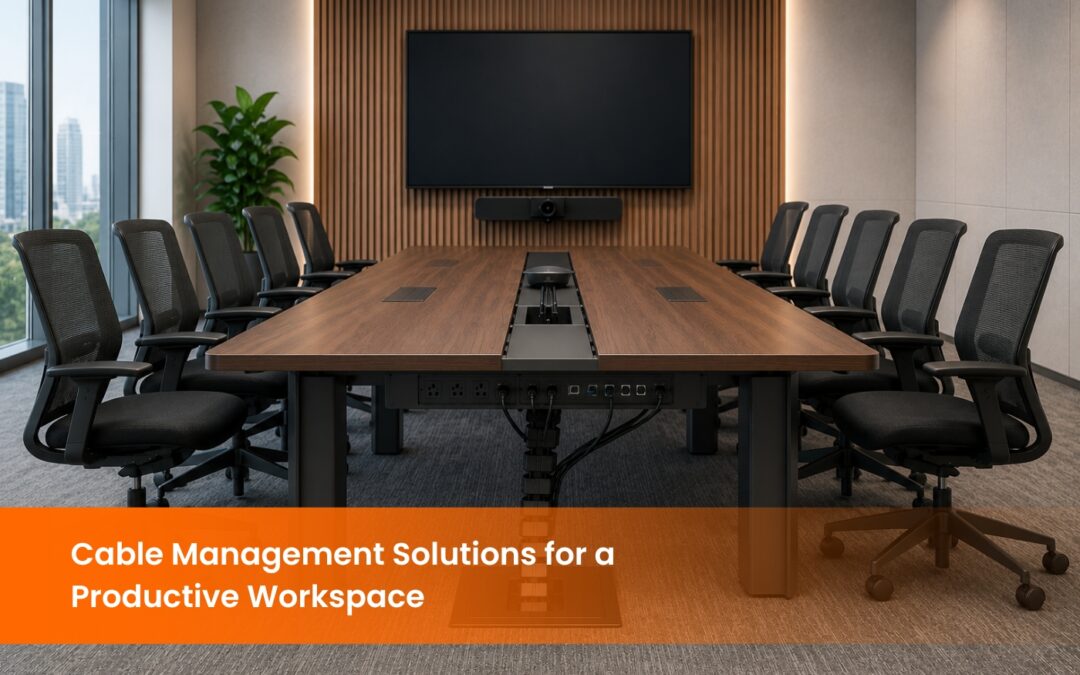
Pop-up power units are the most functional cable management solution for conference tables and boardrooms. Installed flush into the table surface, they provide power outlets, HDMI ports, USB connections, and, in some models, wireless charging at the exact point where meeting participants need connectivity. When the meeting is over, the unit retracts into the table surface, leaving a clean, professional appearance.
Innovative Cable Management Products
Here are some innovative cable management solutions that enhance workspace functionality and organization:
Logic LC-404-N19: New, innovative products can greatly enhance the functionality of workspaces. Take the Logic LC-404-N19 cable control system, for example. This system is simple to install behind a meeting table, offering HDMI, USB, and universal power sockets for easy connectivity. By combining the convenience of a cable box with power outlets, users can effortlessly connect their devices without the clutter of tangled cables.
ECC02: The ECC02 is excellent for managing cables in the office because of its modern and simple design. It also has power outlets and USB ports that are hidden in a part that can be pulled out. After that, this module can be hidden when it’s not needed. It keeps the look clean and modern while still making all the links easy to get to.
LOGIC LC-406VS-WC: The LOGIC LC-406VS-WC unit has multiple power outlets and wireless charging for more advanced configurations. It meets current needs, like charging mobile devices without using extra cables. This product is the perfect mix of style and usefulness; it keeps all of your gadgets charged and in order without making a mess.
What Cable Management Standards Apply to Indian Office Installations?
In practice, this means that in a conference room or boardroom installation, power cables and AV signal cables should be routed in separate trays or raceways to prevent electromagnetic interference that degrades audio and video quality. A single raceway carrying both a power strip and an HDMI cable over a long run is a common source of display interference in meeting rooms that were cabled without AV expertise.
International structured cabling standards such as ANSI/TIA-568 and ISO/IEC 11801 follow the same principle: separating power and data cable pathways is a foundational requirement across all major cabling frameworks, as detailed in this structured cabling standards guide.
For organisations that host client meetings in premium office spaces, cable management is also a component of the overall room presentation standard. A boardroom where cables are visible on the table surface or running across the floor signals an attention-to-detail gap that clients and senior stakeholders notice, regardless of the quality of the AV equipment itself.
EIS TechInfra Solutions handles cable management as an integrated part of every AV installation, from individual meeting rooms to multi-floor corporate rollouts. This means the cable routing, containment, and labelling are specified at the design stage rather than addressed as an afterthought during installation.
How Does Cable Management Affect AV Performance in Conference Rooms?
HDMI cables running longer than 5 metres without active signal boosting are susceptible to signal degradation, particularly in installations where the cable has been tightly bent around corners or pinched under furniture. A display that intermittently loses signal or shows artefacts during a presentation is frequently traced back to a cable management installation where the HDMI run was routed without adequate bend radius protection rather than a fault with the display or source device.
USB extenders used to connect cameras, microphones, and interactive devices across longer table or room distances are similarly affected by how the cable is routed. A USB 3.0 run of more than 5 metres requires active extension to maintain signal integrity, and the cable itself must be routed away from power cables to prevent interference.
Audio cables, particularly balanced XLR runs in rooms with distributed speaker systems, require separation from power circuits of at least 30 centimetres in parallel runs to prevent hum induction. In Indian office environments where power quality varies and earthing may be inconsistent, this separation becomes more critical than in markets with more stable power infrastructure.
Structured cable management that accounts for these AV-specific requirements from the design stage produces meeting rooms that perform consistently across years of use rather than requiring recurring fault diagnosis and recabling.
Choosing the Right Solution:
2. Space Availability: Larger areas might require cable trays or raceways, while smaller spaces may only need a cable box or Velcro ties.
3. Device Type: If businesses are dealing with various devices that require different connections (e.g., HDMI, USB, VGA), choose a solution that offers multiple ports and flexibility.
4. Aesthetic Preference: Choose a system that aligns with the style of your office. Products like the LOGIC LC-406VS-WC offer a sleek, modern design for professional environments.
5. Ease of Use: Look for solutions that make it easy to access cables when needed, such as pop-up outlets or retractable modules.
Mounting and cable routing are usually solved together or not at all. Our cable management and mounting solutions cover heavy-duty projector mounts and monitor arms alongside the trays and enclosures, so the cable path is designed around where the equipment actually hangs.
Conclusion
FAQ
What is cable management and why does it matter for office spaces?
How does cable management affect AV system performance?
How do I choose between a cable box and a pop-up unit for my desk?
What is the difference between cable trays and cable raceways?
What is the BIS standard for cable management in Indian commercial offices?
What are the most effective cable management solutions for a conference room?
What cable management products work best for Indian office environments?
Can cable management systems be retrofitted into an existing conference room?
How often does a cable management system need maintenance?
How does cable management contribute to a professional boardroom environment?
Stay updated with the latest news, insights, and exclusive content by following us.