
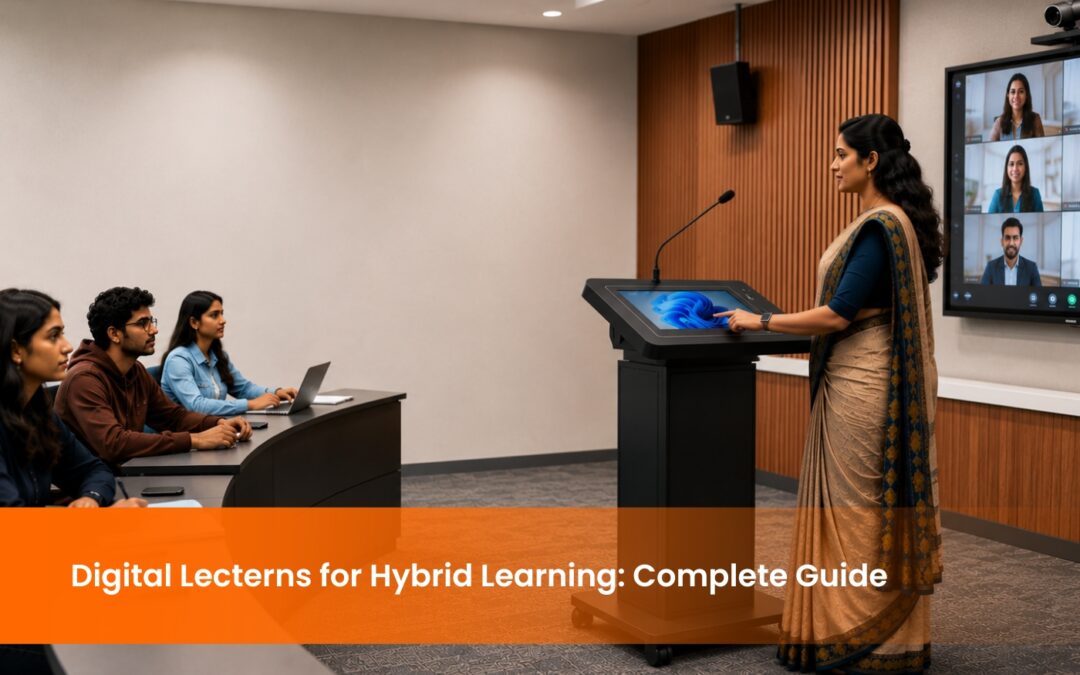
How Digital Lecterns Are Powering Hybrid Learning in 2025

Digital lecterns have moved from a nice-to-have to a core piece of infrastructure in hybrid classrooms. Indian universities, engineering colleges, and medical institutions are deploying them at scale because a single device replaces the projector, microphone, PC, and recording unit that previously cluttered every podium. According to a 2023 report by MarketsandMarkets, the global interactive display market is projected to grow at a CAGR of 7.8%, with education as the primary driver. The shift is happening fast, and institutions that set up hybrid classrooms without digital lecterns are already finding themselves one step behind.

What Exactly Are Digital Lecterns?

Let’s start with the basics. Digital lecterns might look like regular podiums at first glance, but they’re anything but ordinary. These sleek devices are packed with technology—think touchscreen displays, built-in microphones, and connections for just about every gadget you can imagine. They give educators the power to control presentations, interact with students, and even broadcast lessons online, all from a single spot.

Why Digital Lecterns Matter in Hybrid Learning

If you’ve ever tried to teach a class with half the students in front of you and the other half online, you know how tricky it can get. Without the right tools, keeping everyone engaged feels almost impossible. This is where digital lecterns shine.

Picture this: a history professor giving a lecture on World War II. With a digital lectern, she can display maps for her in-person students while simultaneously sharing those visuals with remote learners via a livestream. Everyone stays on the same page, literally and figuratively.

Digital Lecterns in Action: A Real Classroom Deployment

A leading private university in Bengaluru deployed digital lecterns across 12 hybrid classrooms in 2024. Faculty members used the built-in annotation tools to walk students through case studies in real time, while remote participants joined through an integrated livestream. The institution reported a reduction in pre-class AV setup time from 15 minutes to under 2 minutes per session, and faculty feedback highlighted significantly higher confidence in managing split audiences. The deployment was completed in a single semester with full faculty training included.

How Digital Lecterns Enhance the Learning Experience

They Simplify Complex Setups

A standard hybrid classroom without digital lecterns requires a separate laptop, HDMI switcher, webcam, microphone, recorder, and streaming device at the podium. Digital lecterns consolidate all of this into one unit. A faculty member walks in, logs in, and the class is ready to begin. That is a meaningful operational difference in institutions running back-to-back hybrid sessions across multiple classrooms.

They Make Learning More Inclusive

Inclusion is the cornerstone of hybrid education, and digital lecterns deliver on this promise. They offer tools like live captions for students with hearing impairments, translation options for multilingual classrooms, and recording features for those who can’t attend in real-time.

They Foster Collaboration

With features like screen sharing and real-time polling, digital lecterns make collaboration easy—even in hybrid settings. Imagine a biology teacher leading a hybrid lab session. In-person students work on microscopes, while online participants analyze the same samples through a high-definition video feed shared via the lectern. Everyone contributes, and no one feels left out.

The Shift to Hybrid Learning: A Permanent Change

If the pandemic taught us anything, it’s that hybrid learning isn’t going anywhere. Even as classrooms reopen, many students and educators prefer the flexibility of hybrid models. This makes tools like digital lecterns indispensable—not just for now but for the foreseeable future.

What Should You Look for When Buying Digital Lecterns?

The specification gap between a basic digital podium and a classroom-ready digital lectern is significant. A 21 to 24-inch touchscreen ensures the presenter can read content at a natural distance without leaning in. The built-in processor should be at minimum an Intel Core i5 running Windows 11, because anything lower creates noticeable lag when switching between a presentation, a browser, and a streaming platform simultaneously.

Connectivity is where many buyers underestimate their needs. A classroom digital lectern should carry at minimum two HDMI ports, four USB ports, a LAN connection, and Wi-Fi. The HDMI outputs connect to the room display and the recording system independently. A built-in gooseneck microphone handles presenter audio, but the unit should also support a wireless handheld microphone for faculty who move around during lectures.

Recording capability at 1080p and 60 frames per second is the current baseline for lecture capture that plays back clearly on student devices. Anything below this produces video that looks acceptable in the recording app but pixelates on a laptop screen at full width.

Features That Make Digital Lecterns Stand Out

Touchscreen control panels allow educators to navigate between slides, videos, and live annotations without a separate mouse or keyboard. High-quality built-in AV systems ensure remote learners receive the same audio and visual clarity as students in the room. Cloud integration means faculty access their teaching materials from any device without carrying storage drives between classrooms. Recording and livestreaming capability lets institutions build a searchable library of lectures that students can revisit during exam preparation.

Are Digital Lecterns the Right Fit for Indian Universities?

India’s higher education institutions are under direct policy pressure to build hybrid learning infrastructure. NEP 2020 explicitly mandates blended learning models across all university levels, and the UGC has issued guidelines requiring institutions to maintain digital classroom readiness. Digital lecterns sit at the centre of this requirement because they are the single device that satisfies the NEP mandate for integrated, technology-enabled teaching.

IITs and IIMs adopted digital lecterns early, primarily for executive education programmes where remote participants pay premium fees and expect broadcast-quality delivery. Private medical colleges followed, driven by the need to maintain teaching continuity during clinical rotation schedules that keep students spread across campuses. State universities are now the active adoption frontier, supported by central government funding under the Samagra Shiksha scheme for digital classroom infrastructure.

For Indian institutions specifically, two factors matter beyond the standard specification checklist. Voltage stabilisation is non-negotiable because power fluctuations in Tier 2 and Tier 3 cities regularly damage unprotected electronics. Local service support is equally critical because a digital lectern that fails mid-semester needs a technician on-site within 48 hours.

Practical Challenges and How to Overcome Them

Of course, no tool is perfect. Digital lecterns can be pricey and adopting them requires training. However, many schools are finding creative solutions, like applying for grants or starting small with basic models. It’s an investment, but one that pays off quickly in terms of engagement and efficiency.

The Future of Digital Lecterns in Education

As technology evolves, so do digital lecterns. Think about features like AI that could analyze student engagement during a lesson or augmented reality overlays that bring content to life. These aren’t just wishful ideas—they’re the next logical step in the evolution of hybrid classrooms.

Conclusion

Hybrid classrooms are the standard, not the exception, across Indian higher education in 2025. Digital lecterns are the infrastructure that makes hybrid teaching operationally viable for faculty and academically effective for students. Institutions that deploy them consistently report faster class setup, higher faculty confidence, and better remote student engagement. EIS TechInfra Solutions supplies and installs digital lecterns for universities and colleges across India, with full faculty training and AMC support. Explore our digital lecterns range to find the right fit for your institution.

FAQ

What are digital lecterns and how do they work in a classroom?
Digital lecterns are all-in-one podium units with a built-in touchscreen, PC, microphone, camera input, and streaming capability. The presenter logs in, opens their content, and the lectern handles display, audio, and broadcast simultaneously without additional devices at the podium.
How do digital lecterns support hybrid learning for remote students?
Digital lecterns connect to streaming platforms like Zoom, Google Meet, or Microsoft Teams directly from the podium. Remote students receive the presenter’s screen, audio, and camera feed in real time. Polling and Q&A tools built into the interface keep remote participants actively involved throughout the session.
Do digital lecterns support accessibility for students with hearing impairments?
Yes. Digital lecterns connect to captioning software and hearing loop systems. When paired with a distributed classroom speaker system, the lectern delivers consistent audio volume across all seating positions. Recording features allow students with hearing impairments to access captioned playback after the session.
What is the installation process for digital lecterns in a university classroom?
Installation typically takes one to two days per classroom depending on existing infrastructure. The process includes positioning the unit, connecting to the room display and speaker system, configuring the streaming and recording software, and testing the full hybrid setup. Faculty training is conducted after installation sign-off.
How do Indian universities fund digital lectern procurement?
Government institutions access funding through Samagra Shiksha Abhiyan and the UGC’s digital classroom infrastructure grants. Private institutions typically fund through capital expenditure budgets or education technology financing schemes offered by select NBFCs. Institutions registered on the GeM portal can also procure through government-rate contracts.
What specifications should a university check before buying digital lecterns?
Look for a 21 to 24-inch touchscreen, Intel Core i5 or i7 processor, Windows 11, minimum two HDMI ports, four USB ports, LAN and Wi-Fi connectivity, built-in gooseneck microphone, and 1080p recording at 60fps. These are the baseline specs for reliable hybrid classroom performance.
Are digital lecterns compatible with existing classroom AV systems?
Most digital lecterns connect to existing room displays and speaker systems via HDMI and audio output ports. A qualified AV integrator maps the lectern’s outputs to the room’s existing infrastructure during installation. In most cases, no major changes to the existing classroom setup are required.
How long do digital lecterns typically last in an institutional setting?
Quality digital lecterns have a rated operational life of 7 to 10 years under standard institutional use. The PC component and software require updates every 3 to 4 years to maintain compatibility with current streaming and recording platforms. An Annual Maintenance Contract covering hardware and software is recommended from year one.
Can digital lecterns be used for examinations and assessments?
Yes. Digital lecterns support remote proctoring setups by connecting to external cameras and assessment platforms. Faculty can conduct online examinations, display question papers on the room screen, and record sessions for audit purposes, all from the lectern interface without additional equipment.
What after-sales support should institutions ask for when buying digital lecterns?
Ask specifically for on-site installation, faculty training sessions, a minimum one-year warranty covering parts and labour, and an Annual Maintenance Contract with a defined response time of 48 hours or less for on-site service. Remote diagnostics capability from the supplier’s support team is a useful addition for institutions in Tier 2 and Tier 3 cities.

Stay updated with the latest news, insights, and exclusive content by following us.