
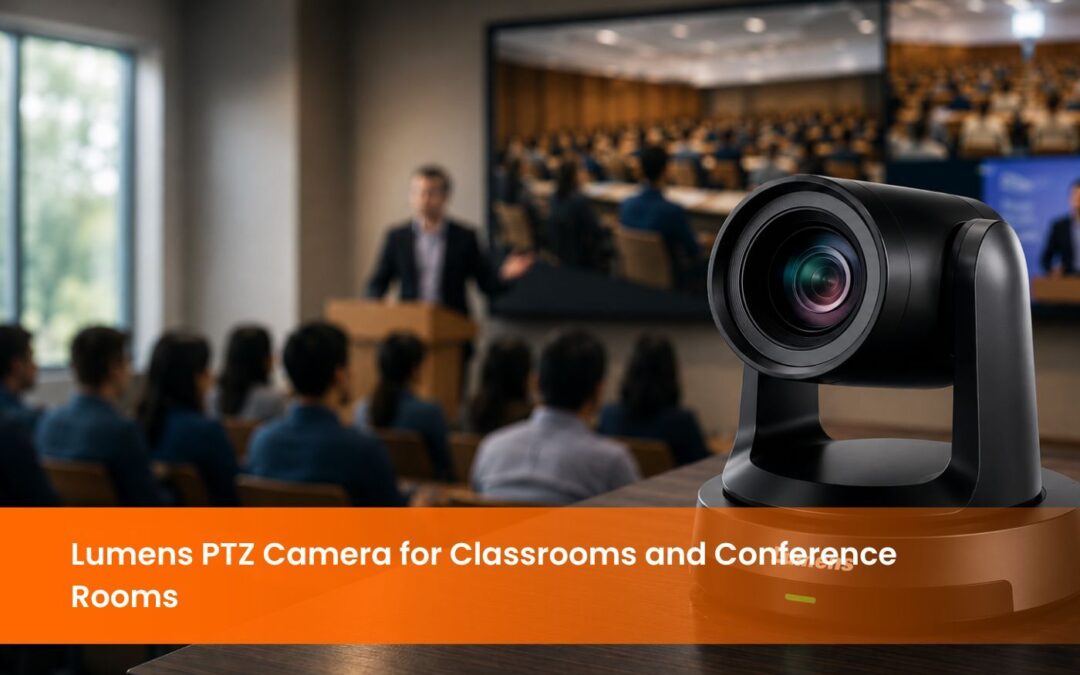
Lumens PTZ Camera: AI Auto Tracking and 4K Zoom for Modern AV Environments
INTRO
What Makes a Lumens PTZ Camera Different from a Standard Webcam?
PTZ stands for Pan, Tilt, and Zoom. The camera can rotate horizontally up to 340 degrees, tilt vertically, and zoom in optically without degrading image quality. In a classroom where the teacher moves between the board, the demonstration table, and the student rows, a Lumens PTZ camera tracks the active subject automatically using AI-based computer vision; no camera operator required.
The output quality is equally different. A standard webcam delivers 1080p at best, often with significant compression and low-light sensitivity limitations. The Lumens PTZ camera VC-R31 delivers Full HD 1080p at 60 frames per second simultaneously via HDMI, USB 3.0, and IP streaming. The VC-TR61N delivers 4K UHD from dual independent lenses simultaneously. These specifications matter in institutional environments where recordings are archived for accreditation, shared externally, or used in broadcast production.
Lumens PTZ Camera VC-R31: Full HD for Conference Rooms and Classrooms
Key specifications:
● Sensor: 1/2.8 inch, 2.16 megapixel
● Video output: 1080p60, 1080p50, 1080p30, 720p60, 720p50
● Optical zoom: 12x
● Digital zoom: 12x
● Horizontal viewing angle: 72.5 degrees
● Vertical viewing angle: 40.8 degrees
● Pan range: 340 degrees (plus 170 to minus 170)
● Tilt range: 120 degrees (plus 90 to minus 30)
● Pan speed: 0.2 to 120 degrees per second
● Tilt speed: 0.2 to 80 degrees per second
● Outputs: HDMI, USB 3.0, Ethernet (simultaneous)
● IP streaming: H.264, triple streaming structure (1080p60, 720p30, 720p30 webpage)
● IP protocols: RTSP, RTMP, RTMPS, SRT
● Audio: Line In and MIC In, output via Ethernet, USB 3.0, HDMI
● Preset positions: 256
● Power: PoE (IEEE 802.3af, 9W) or DC 12V (8W)
● Control: RS-232, Ethernet, USB 3.0, VISCA, ONVIF, UVC, UAC
● Auto features: Auto framing, auto focus, WDR, 3D noise reduction
● Weight: 1.4kg
● Body: Available in black or white
The VC-R31 connects to video conferencing platforms including Zoom, Google Meet, and Microsoft Teams via USB 3.0 as a UVC-compliant webcam, or via IP for network-based AV systems. The 256 preset positions allow IT administrators to programme specific camera angles for different room configurations, a useful feature in rooms used for multiple purposes throughout the day.
Lumens PTZ Camera VC-TR61N: 4K Dual Lens AI Tracking for Large Venues
Key specifications:
● Dual lens system: main PTZ camera (30x optical zoom) plus panoramic ultra-wide camera
● Resolution: 4K UHD (2160p) at 59.94 and 50fps from both cameras
● Optical zoom: 30x
● AI auto tracking: tracks subjects up to 18 metres, optimal tracking distance 8 metres
● Tracking modes: auto tracking, auto framing, partition tracking (programmes different zoom angles based on subject position in the room)
● IP streaming: dual independent 4K IP outputs (one from PTZ camera, one from panoramic camera)
● Streaming protocols: NDI HX3, RTSP, RTMP, RTMPS, SRT
● NDI HX3 output: PTZ main 2160p 60fps, sub 640x360p 30fps; panoramic 2160p 60fps
● HDMI output: 2160p with picture-in-picture composite option
● USB output: video conferencing webcam mode
● Minimum illumination: low-light operation
● Power: DC 12V or PoE+
● Warranty: 5 years standard
The VC-TR61N’s partition tracking mode is the feature that separates it from standard auto-tracking cameras. In a lecture hall, the operator programmes different tracking zones when the presenter is at the podium; the camera holds a tight medium shot. When the presenter moves to the whiteboard, the camera automatically switches to a wider angle that captures both the speaker and the board content. This requires no real-time operator intervention and produces a recording that resembles a professionally directed multi-camera shoot.
The dual independent 4K IP outputs mean the institution receives simultaneous feeds from both the PTZ main camera and the panoramic camera. In a live production or recording environment, these two feeds can be mixed, switched, or recorded independently.
sion.
How Do the Two Lumens PTZ Camera Models Compare?
Specification
VC-R31
VC-TR61N
What Is AI Auto Tracking and Why Does It Matter for Indian Institutions?
For Indian institutions, the operational case for AI auto tracking is straightforward. A school or university running hybrid sessions cannot assign a camera operator to every classroom for every period. The camera must operate independently, and the teacher must be able to teach without managing the camera. AI auto tracking makes this possible.
For corporate organisations, the case is equally clear. A boardroom video conference where a senior leader moves around the room while presenting should not require a colleague to manually pan a camera. The Lumens PTZ camera handles this automatically, allowing participants to focus on the content rather than the mechanics of video production.
AI auto tracking also produces better archival recordings for NEP 2020 compliance, NAAC documentation, and UGC-mandated digital teaching evidence. Universities and schools adopting PTZ cameras for lecture capture report consistent improvements in remote student engagement and archival recording quality across hybrid teaching environments.
A recording where the teacher is consistently framed and the content is clearly visible is significantly more useful for both students reviewing material and administrators submitting accreditation documentation.
How Does a Lumens PTZ Camera Integrate with an AV System?
The interactive flat panel display or room display via HDMI for local monitoring of the camera feed.
The lecture capture or recording unit via HDMI or IP for simultaneous recording of the camera feed alongside the presentation screen content. EIS TechInfra recording and streaming units support direct IP input from the Lumens PTZ camera.
The video conferencing platform via USB 3.0 for direct webcam-mode input to Zoom, Google Meet, or Microsoft Teams.
The network via IP for remote camera control and monitoring using the VISCA over IP or ONVIF protocol from a central AV control point.
EIS TechInfra handles the full integration scope: camera mounting, IP configuration, VISCA control setup, recording unit connection, and platform testing as part of every Lumens PTZ camera installation.
Conclusion
FAQ
What is a Lumens PTZ camera and how does it work?
What is NDI HX3 and do I need it?
Can a Lumens PTZ camera connect to Zoom and Google Meet?
How is a Lumens PTZ camera installed in a classroom or conference room?
What is the difference between the Lumens VC-R31 and VC-TR61N?
How far can a Lumens PTZ camera track a presenter?
What is partition tracking mode on the VC-TR61N?
What is PoE and does the Lumens PTZ camera support it?
As with the Lumens recording systems available through EIS TechInfra, the camera feed is recorded locally while streaming to a live platform simultaneously.

Follow Us

Head Office Address
#311, 60ft Road, Thalakaveri Layout, Amruthahalli Main Road, Sahakara Nagar Post, Bengaluru-560092

Copyright ©2024 EIS TechInfra Solutions, All Rights Reserved. Designed by Fablesquare