
PhiBonacci 3D Learning Software: Hyper-Interactive STEM Simulations for Indian Schools
INTRO
The uniPhi myClass product is the classroom-facing application of PhiBonacci 3D Learning Software, used by teachers to deliver concept-based lessons in mathematics, physics, chemistry, biology, and other STEM subjects through a library of over 2,500 NCERT-aligned 3D simulations.
This blog covers what PhiBonacci 3D Learning Software does, how it works in a classroom, what makes it different from conventional digital teaching tools, and why Indian schools deploying interactive flat panel displays are adopting it as the content layer of their smart classroom infrastructure.
What Is PhiBonacci 3D Learning Software?
The core of PhiBonacci 3D Learning Software is its library of hyper-interactive 3D simulations. These are not video animations that students watch passively. Each simulation is a manipulable 3D environment where the student or teacher can rotate structures, adjust variables, trigger reactions, dissect organisms, or run experiments by interacting directly with the content on a touchscreen display.
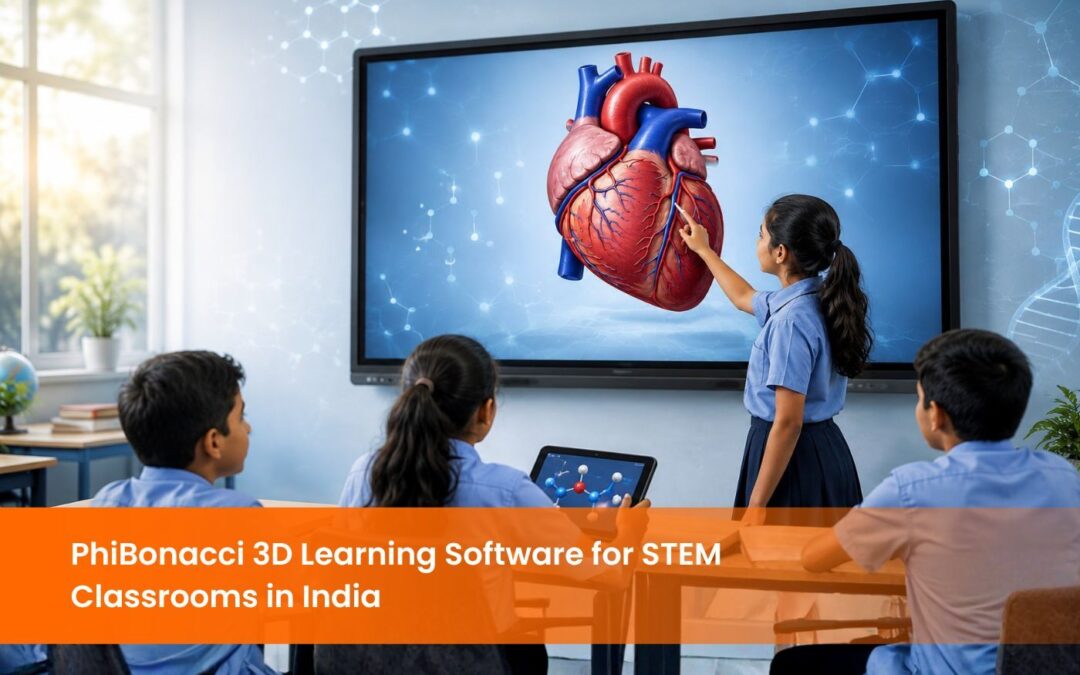
A student studying the human heart does not watch a diagram animate. The student rotates the 3D cardiac model, taps individual chambers to see their function, and traces blood flow paths by touching the vessels on screen.
The software is built on principles from neuroscience. PhiBonacci 3D Learning Software is designed to stimulate neurotransmitters including dopamine, oxytocin, and endorphins through interactive engagement, which the company’s research indicates supports focus and memory formation. The platform applies principles of neuroplasticity to target specific cognitive structures involved in learning, attention, and concept retention.
PhiBonacci Learning Software has won the Disruptor Award at BETT Asia 2022, the Outstanding STEM Solution Provider award for K-12, and has been a finalist in the Auggie Awards at AWE 2023 and the Best XR/VR/AI category at GESS Education Awards 2023.
What Does PhiBonacci 3D Learning Software Include?
uniPhi myClass – The Classroom Teaching Tool
Key features of uniPhi my Class:
• 2,500 plus hyper-interactive 3D simulations covering the STEM curriculum for grades 6 to 12, aligned with NCERT and major international curricula.
• Annotations and pre-built lesson plans that give teachers a structured framework for each topic, reducing preparation time significantly.
• In-class activities and gamified exercises that shift the classroom from passive listening to active student participation.
• Multi-language support covering multiple regional Indian languages, supporting inclusive delivery across diverse student populations.
• The TrEKS Program – a teacher training initiative built into the PhiBonacci ecosystem that helps educators use the software effectively in the classroom from day one.
• Adaptive feedback mechanisms that respond to individual student interaction patterns during activities, providing differentiated learning paths within a single class session.
• Cloud storage allowing teachers to save lesson content, student activity results, and session notes for review and reporting.
uniPhi myStudy – The Home Learning Tool
The platform provides personalised learning paths and interactive tools that replicate the hands-on experience of the classroom in a home environment.
How Does PhiBonacci 3D Learning Software Work in a STEM Classroom?
The teacher begins the lesson by walking students through the simulation visually. A physics lesson on optics shows a 3D light ray model that the teacher adjusts in real time, changing the angle of incidence and letting students observe refraction behaviour directly. A chemistry lesson on molecular bonding lets the teacher rotate covalent bond structures in three dimensions while explaining orbital geometry. A biology lesson on the digestive system lets the teacher tap each organ in sequence, triggering an animated explanation of its function.
After the teacher-led explanation, the software shifts to student interaction mode. Students come to the display and manipulate the simulation themselves. In a mathematics lesson on trigonometry, students drag the angle of a triangle in the 3D environment and watch sine, cosine, and tangent values update in real time. The concept of what these ratios represent becomes immediately intuitive rather than abstract.
PhiBonacci 3D Learning Software saves up to 75% of classroom lecture delivery time because concept explanation through interactive 3D takes significantly less time than chalk-and-talk or video-based instruction. The company reports that classrooms using the software see up to 80% improvement in student engagement levels.
How Does PhiBonacci 3D Learning Software Compare to Video-Based Learning?
A video shows a fixed sequence of events. The student watches it and cannot change the angle, adjust a variable, slow down a specific interaction, or explore what happens if a different input is used. The video creates passive attention, not active engagement.
PhiBonacci 3D Learning Software creates a manipulable environment. The student changes inputs and observes outputs. The student touches the simulation and receives immediate visual feedback. This interaction loop is what the neuroscience foundation of the software is designed around. Active manipulation of a 3D concept produces stronger neural encoding of that concept than passive observation of a video depicting the same content.
A scientist at ISRO who reviewed the software described it as superior to traditional video-based learning, noting that the simulations are intuitive and device-flexible in ways that conventional educational video content cannot achieve.
What Hardware Does PhiBonacci 3D Learning Software Run On?
It runs natively on Logic interactive flat panel displays, which are available through EIS TechInfra Solutions, with the simulation library optimised for 4K resolution and 40-point multi-touch capability.
For home learning via uniPhi myStudy, the software runs on Android and iOS personal devices including tablets and smartphones, allowing students to access the same simulation content outside the classroom.
Conclusion
By replacing passive instruction with hyper-interactive 3D simulations that students manipulate directly, the software shifts classroom teaching from explanation to experience. With over 2,500 NCERT-aligned simulations across grades 6 to 12, NEP 2020 compliance, multi-language support, and a neuroscience-based design framework trusted by over 60,000 schools, PhiBonacci 3D Learning Software is the content layer that makes a smart classroom genuinely functional.
For schools looking to deploy interactive flat panel displays with ready-to-use STEM content, explore the Logic Interactive Flat Panel Display
range available through EIS TechInfra Solutions. .
FAQ
What is PhiBonacci 3D Learning Software and who is it for?
How many simulations does PhiBonacci 3D Learning Software include?
What hardware does PhiBonacci 3D Learning Software require?
What is the difference between uniPhi myClass and uniPhi myStudy?
Is PhiBonacci 3D Learning Software aligned with NCERT and NEP 2020?
How does PhiBonacci 3D Learning Software save classroom time?

Follow Us

Head Office Address
#311, 60ft Road, Thalakaveri Layout, Amruthahalli Main Road, Sahakara Nagar Post, Bengaluru-560092

Copyright ©2024 EIS TechInfra Solutions, All Rights Reserved. Designed by Fablesquare