
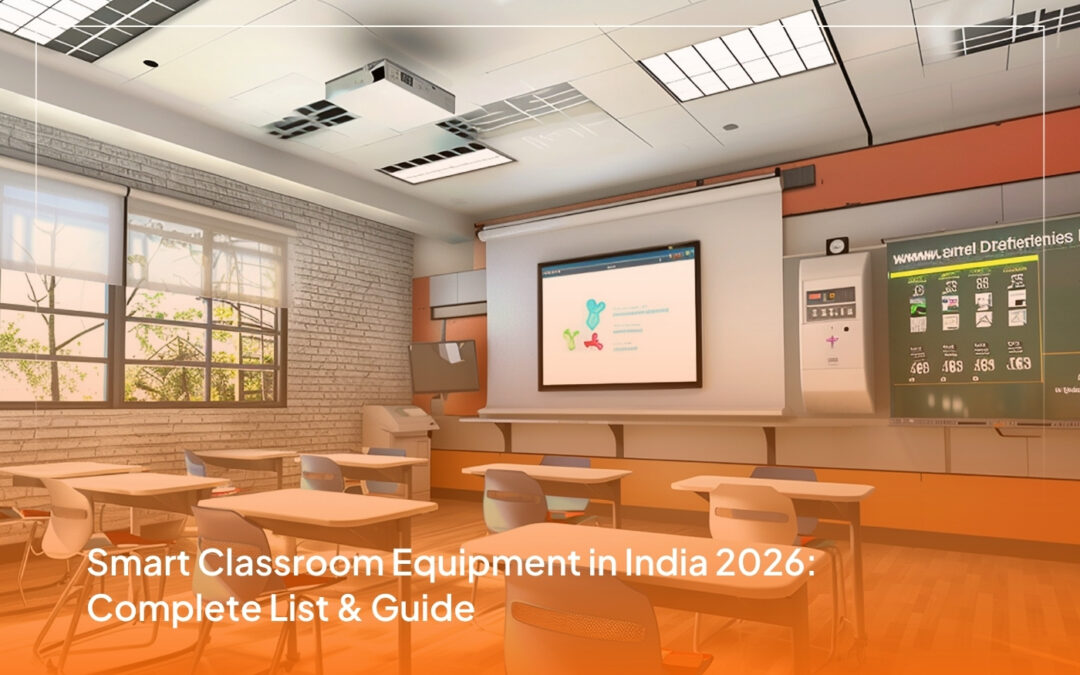
What is Smart Classroom Equipment?
This guide covers the 10 essential smart classroom equipment categories, recommended specifications, and how to choose the right setup for your institution, whether you’re equipping a single classroom, a multi-room campus, or a university lecture hall.
Why are Smart Classrooms so Important Right Now?
Smart classroom equipment also solves three operational problems at once:
Hybrid teaching is now expected, not optional. PTZ cameras, lecture capture, and classroom audio let one teacher reach in-person and remote students simultaneously, which protects attendance during exam season, monsoon disruption, or any future closure event.
Teachers can deliver richer lessons in the same time. Interactive flat panels, document cameras, and wireless presentation reduce setup friction, which means more teaching minutes per class period.
Lessons become reusable assets. Recorded sessions become institutional content libraries, available to absentees, exam revision groups, and parents who want to see what’s being taught.
A well-planned smart classroom isn’t a single product. It’s an integrated set of equipment that works together, which is why most institutions partner with one AV provider for the full build rather than buying components separately.
Traditional Classroom vs Smart Classroom
Dimension
Traditional Classroom
Smart Classroom
What Equipment Does a Smart Classroom Really Need?
1. Interactive Flat Panel Display (IFPD)
Key specifications to look for: 4K resolution, 20-point capacitive touch, anti-glare toughened glass, Android and Windows OS support, OPS slot for a dedicated classroom PC, and built-in screen sharing for student devices.
Best use case: The primary teaching surface in any modern classroom, from K-12 to university lecture halls.
2. Digital Podium
Key specifications to look for: Built-in touch monitor (21″ to 24″), HDMI, USB, and Type-C laptop inputs, gooseneck microphone, integrated cable management, caster wheels for repositioning, and optionally a built-in PC (Intel i5 or i7).
EIS recommendations: The EisTouch range includes three models, the ET-201EA (entry-level, laptop-driven), the ET-500XA (with built-in Intel i7 PC and electric height adjustment), and the ET-501XA (sliding-cover showpiece for boardrooms and auditoriums).
Best use case: Teacher’s central control station in any smart classroom, lecture hall, training room, or boardroom.
3. PTZ Camera and Auto-Tracking System
A PTZ (Pan-Tilt-Zoom) camera is a remotely controllable video camera that automatically follows the teacher’s movement, captures the whiteboard or IFPD content, and streams or records the lesson for remote students.
Key specifications to look for: Full HD 1080p or 4K resolution, auto-tracking capability, optical zoom, 12x or higher for large halls, low-light performance, NDI or RTSP streaming support, and PoE, Power over Ethernet, for clean installation.
Best use case: Hybrid classrooms, lecture capture, online teaching, and any institution running blended learning programs.
4. Classroom Audio System
A classroom audio system delivers the teacher’s voice clearly to every seat in the room, captures clean audio for recording and remote students, and handles playback for multimedia content. Combined with the right microphones, it’s the difference between a class that engages and a class that strains to hear.
Key specifications to look for: Ceiling or wall-mounted speakers sized to the room, wireless lapel and handheld microphones, a gooseneck mic for the podium, a mixer-amplifier, and ducking capability so playback audio drops when the teacher speaks.
Best use case: Every classroom with more than 30 students, every lecture hall, every training room.
Beyond the speakers themselves, the teaching kit needs the small items that make daily use frictionless. Our microphones and audio accessories range covers USB and Bluetooth microphones and headsets for recording, remote sessions and one-to-one assessment.
5. Document Camera (Visualiser)
A document camera, sometimes called a visualiser, projects physical objects, textbooks, lab specimens, or handwritten notes onto the IFPD or projector in real time. It’s the modern replacement for the overhead projector.
Key specifications to look for: Full HD or 4K capture, flexible gooseneck arm, USB and HDMI output, LED illumination, and software integration with annotation tools.
Best use case: Primary and secondary schools, reading aloud from books, showing student work, science labs for specimens and demonstrations, medical colleges for anatomy and dissection, and art classrooms.
6. Wireless Presentation System
A wireless presentation system lets teachers and students share their laptop, tablet, or phone screen to the IFPD without cables. It removes the friction of switching presenters during group activities and supports BYOD, Bring Your Own Device, classrooms.
Key specifications to look for: Multi-OS support, Windows, macOS, iOS, Android, ChromeOS, simultaneous multi-user display, split screen for 2 to 4 presenters, Wi-Fi 6 or wired LAN, and zero-software-install for guest devices.
Best use case: Collaborative classrooms, group project work, teacher-student device sharing, and conference rooms.
7. Recording and Lecture Capture System
A recording and lecture capture system automatically records every class, syncs the camera feed with the IFPD content and audio, and uploads to an LMS or institutional video library for student access.
Key specifications to look for: Multi-source recording, camera, IFPD, and audio combined, scheduled or one-touch recording, automatic upload to LMS or cloud storage, encoding to standard formats, MP4 and H.264, and live streaming support.
Best use case: Universities, professional training institutes, K-12 schools running revision libraries, and any institution where attendance can’t always be 100 percent.
Software screen capture rarely survives contact with a live classroom. Purpose-built recording solutions mix camera, podium and audio sources into a single encoded output that uploads without a manual editing step.
8. Video Wall Controllers and Processors (for large halls)
For auditoriums, conference centres, and very large lecture halls, a single IFPD isn’t enough. Video walls, multiple panels arranged into one large display, require a controller or processor to manage the content distribution.
Key specifications to look for: Multi-input support, 4K processing, scaling and windowing capability, redundancy for critical installations, and integration with control systems.
Best use case: University auditoriums, multi-purpose halls, command centres, conference venues, and large training facilities.
9. Mounting Solutions and Cable Management
The unglamorous category that makes everything else work. Proper mounting and cable management protect the equipment, hide clutter, allow safe maintenance access, and are a major factor in how professional the classroom looks.
Key specifications to look for: VESA-compliant wall mounts for IFPDs and displays, ceiling mounts for projectors with tilt and pan adjustment, in-wall or in-floor cable trays, surface raceways, and labelled patch panels.
Best use case: Every smart classroom build needs this layer. Skipping it leads to equipment damage and ugly installations.
10. Networking Infrastructure (Wi-Fi 6, UPS, OPS PC)
The invisible foundation that makes the rest run. A smart classroom is only as reliable as its network and power infrastructure.
Key specifications to look for: Wi-Fi 6, 802.11ax, access points sized to room capacity, gigabit Ethernet to the IFPD and podium, UPS backup for the podium and IFPD, minimum 30 minutes, OPS PC slot or dedicated mini-PC for the IFPD, and surge protection.
Best use case: Every smart classroom built. Skipping the UPS in particular leads to mid-lesson outages and shortened equipment lifespan.
Distance is the constraint most classroom designs discover late. Specifying switchers and USB extenders at the design stage keeps the podium PC, camera and panel connected reliably when the equipment rack sits outside the room.
Key 2026 Trends in Smart Classroom Technology
A few shifts that are changing what smart classroom means in 2026:
- AI-powered personalisation. Adaptive learning platforms that adjust content difficulty based on real-time student performance are starting to integrate with classroom IFPDs and LMS systems.
- AR and VR for immersive subjects. Virtual anatomy for medical colleges, historical site walkthroughs for humanities, and lab simulations for science, all delivered through compatible IFPDs or dedicated VR sets.
- Cloud-based LMS integration. NEP 2020’s push for digital content delivery aligns with LMS-native classrooms where every lesson, recording, and assessment lives in one searchable cloud platform.
- Hybrid learning is the standard. Post-pandemic, hybrid capability is now a baseline requirement in most institutional procurement specifications, rather than an add-on.
- Offline-first content for low-connectivity regions. Smart classroom equipment is increasingly designed to operate fully even on intermittent or no internet, syncing content when bandwidth is available.
- Energy-efficient AV. Lower-wattage IFPDs and LED-based audio systems reduce both electricity bills and the load on classroom UPS systems.
How to Choose Smart Classroom Equipment for your Institution
A practical 8-step framework to use when planning a smart classroom build.
Step 1: Assess classroom size and seating capacity. Room dimensions and student count determine IFPD size, 65" for small classrooms, 75" for standard, 86" for large halls, speaker count, and microphone configuration.
Step 2: Decide on board type vs IFPD. An interactive flat panel is the modern default. Traditional projector and whiteboard combinations cost less upfront but lose out on durability, image quality, and total cost of ownership.
Step 3: Decide on the hybrid learning requirement. If your institution runs any online or blended programs, a PTZ camera and lecture capture system are essential. If purely in-person, they can be deferred.
Step 4: Decide on the lecture recording requirement. Recording for revision libraries, absentees, or course archival is a separate decision from live hybrid. Many K-12 schools want recording without live remote teaching.
Step 5: Plan audio for room size. Small classroom: gooseneck mic and 2 speakers. Standard classroom: add a wireless lapel mic. Large hall: multi-speaker array, multiple wireless mics, and a mixer-amplifier.
Step 6: Choose the digital podium tier. Entry-level, laptop-driven, mid-tier, with built-in PC, or premium, sliding cover or motorised features. Match the room formality.
Step 7: Budget for networking infrastructure. Wi-Fi 6 access points, UPS for critical equipment, cable management, and surge protection. Skipping this is the single most common mistake in classroom procurement.
Step 8: Confirm the AMC and on-site training package with the supplier. Equipment is half the value. The other half is installation quality, teacher training, and ongoing maintenance response time. Get all three in writing.
How Does Smart Classroom Equipment Benefit Learning?
Smart classroom equipment changes daily teaching in five concrete ways:
- Engagement goes up. Interactive AV lets teachers annotate slides, switch sources mid-lesson, and demonstrate documents in real time, which sustains attention better than static projection.
- Hybrid teaching becomes possible. PTZ cameras and lecture capture let one teacher reach in-person and remote students at the same time.
- Lessons become reusable. Recorded sessions build into a content library available for revision, absentees, and parent transparency.
- Assessment becomes instant. Real-time polls and quizzes through the IFPD give teachers immediate feedback on what’s landed and what hasn’t.
- Equity improves across the classroom. Classroom audio and large displays ensure that the student at the back of the room gets the same experience as the student at the front.
Why EIS Techinfra for Smart Classroom Equipment?
- AV distributor since 2014 with a pan-India presence across Bengaluru, Mumbai, Chennai, and Hyderabad.
- Integrated solutions across IFPDs, digital podiums, PTZ cameras, audio systems, wireless presentation, lecture recording, and mounting infrastructure, all from a single supplier.
- Partnerships with leading global AV brands, including AOTO, Analogway, ATEN, Casio, Condeco, Icron, Lumens, Seemax, Vtron, Yamaha, and Exterity.
- Direct importer of the EisTouch product line, including digital podiums, customised kiosks, touch interactive overlays, motorised monitor lifts, and digital nameplates.
- On-site installation, teacher training, and AMC support.
- Single-supplier accountability reduces integration risk and post-installation support delays.
Conclusion
Smart classroom equipment is an integrated system: an interactive flat panel, a digital podium, audio, camera, recording, networking, and the mounting and cable infrastructure that holds it all together. The institutions that win admissions and deliver measurable learning outcomes are the ones that plan and build properly, choose equipment matched to their classroom size and teaching style, and partner with a supplier that handles installation, training, and ongoing maintenance.
EIS TechInfra has been delivering integrated AV solutions to Indian schools, colleges, universities, and corporates since 2014. Whether you’re equipping a single pilot classroom or rolling out a full campus deployment, our team handles site survey, equipment selection, installation, teacher training, and after-sales support end-to-end.
FAQ:
Q1. What is smart classroom equipment?
Q3. What is the essential equipment for a smart classroom?
Q5. What is the difference between an interactive flat panel and a digital podium?
Q7. Can smart classroom equipment support hybrid and remote learning?
Q9. What's the maintenance schedule for smart classroom equipment?
Q11. How long does a smart classroom installation take?
Q13. How do I choose the right smart classroom equipment supplier in India?
Q2. What does it cost to set up a smart classroom in India?
Q4. Is smart classroom equipment NEP 2020 compliant?
Q6. How long does smart classroom equipment last?
Q8. Is smart classroom equipment compatible with CBSE, ICSE, IB, or state curricula?
Q10. Is smart classroom equipment suitable for small classrooms or only large ones?
Q12. Is teacher training included with smart classroom equipment?
Q14. Can I start with one classroom and expand later?
Stay updated with the latest news, insights, and exclusive content by following us.